> ## Documentation Index
> Fetch the complete documentation index at: https://docs.surge.app/llms.txt
> Use this file to discover all available pages before exploring further.
# Unread Count Component
> Embed a live unread conversation count badge that updates in real time as new messages arrive.
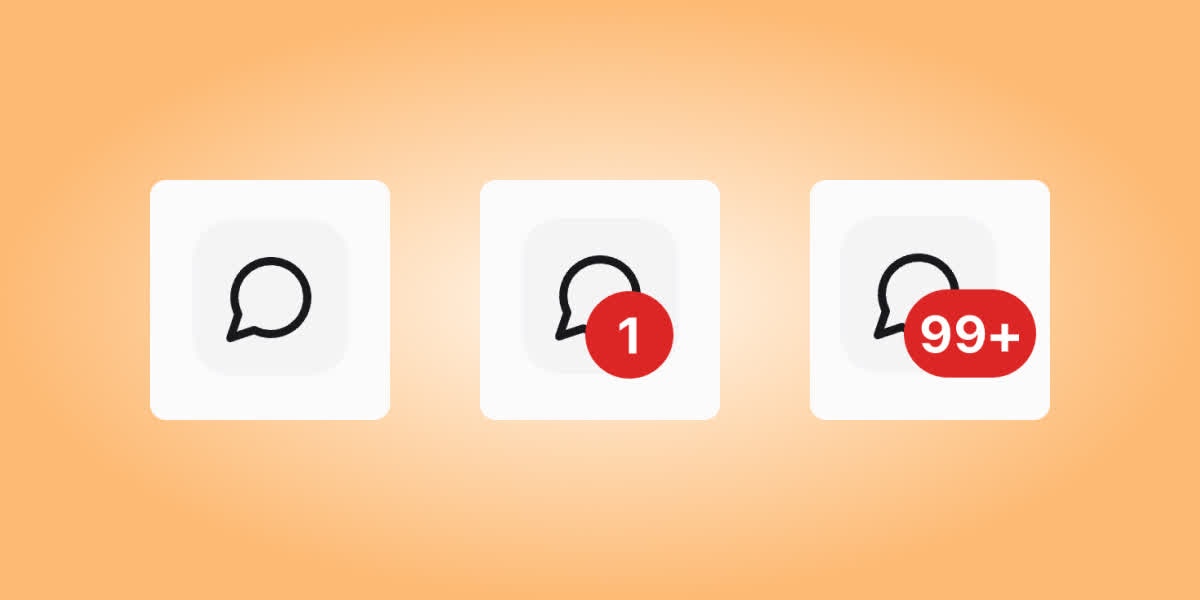
The Unread Count component renders a badge showing the number of unread messages for the current User. Use it in navigation elements, icon buttons, or any element where you want to surface unread state.
 ## Mount the component
```html theme={null}
```
The component updates in real time when new messages arrive, and hides itself when there are no unread messages, so you can keep the iframe permanently in your page.
## Query parameters
| Parameter | Required | Description |
| ----------------- | ------------------------ | ------------------------------------------------------------------------------------------------------------------ |
| `token` | Yes | A signed JWT for the current User. If you pass an account token instead, also pass `user_id`. |
| `user_id` | Only with account tokens | The Surge User ID. Omit when `token` is a signed User JWT — the JWT identifies the User. |
| `conversation_id` | No | Scope the count to a single conversation. When omitted, the count covers all conversations the User has access to. |
## Reading the count in your own code
If you want to render the count yourself instead of using the component, listen for the `count-updated` event the iframe emits via `postMessage` whenever the User reads a conversation or receives a new message:
```javascript theme={null}
window.addEventListener("message", (event) => {
if (event.origin !== "https://embed.surge.app") return;
if (event.data?.source !== "surge-unread-count") return;
if (event.data.type === "count-updated") {
// Update your own UI element
const count = event.data.count;
document.getElementById("my-badge").textContent = count > 0 ? String(count) : "";
}
});
```
The event payload looks like this:
```json theme={null}
{
"source": "surge-unread-count",
"type": "count-updated",
"count": 3
}
```
## Mount the component
```html theme={null}
```
The component updates in real time when new messages arrive, and hides itself when there are no unread messages, so you can keep the iframe permanently in your page.
## Query parameters
| Parameter | Required | Description |
| ----------------- | ------------------------ | ------------------------------------------------------------------------------------------------------------------ |
| `token` | Yes | A signed JWT for the current User. If you pass an account token instead, also pass `user_id`. |
| `user_id` | Only with account tokens | The Surge User ID. Omit when `token` is a signed User JWT — the JWT identifies the User. |
| `conversation_id` | No | Scope the count to a single conversation. When omitted, the count covers all conversations the User has access to. |
## Reading the count in your own code
If you want to render the count yourself instead of using the component, listen for the `count-updated` event the iframe emits via `postMessage` whenever the User reads a conversation or receives a new message:
```javascript theme={null}
window.addEventListener("message", (event) => {
if (event.origin !== "https://embed.surge.app") return;
if (event.data?.source !== "surge-unread-count") return;
if (event.data.type === "count-updated") {
// Update your own UI element
const count = event.data.count;
document.getElementById("my-badge").textContent = count > 0 ? String(count) : "";
}
});
```
The event payload looks like this:
```json theme={null}
{
"source": "surge-unread-count",
"type": "count-updated",
"count": 3
}
```